Signing up for free GitHub and molab accounts
For learning core concepts of computational biology, we will be using marimo python notebooks via marimo’s molab service. To access these notebooks, you will need to sign up for a free account on GitHub and molab.
Signing up for a free GitHub account
If you already have a GitHub account, you are welcome to use it for our class and can skip this section.
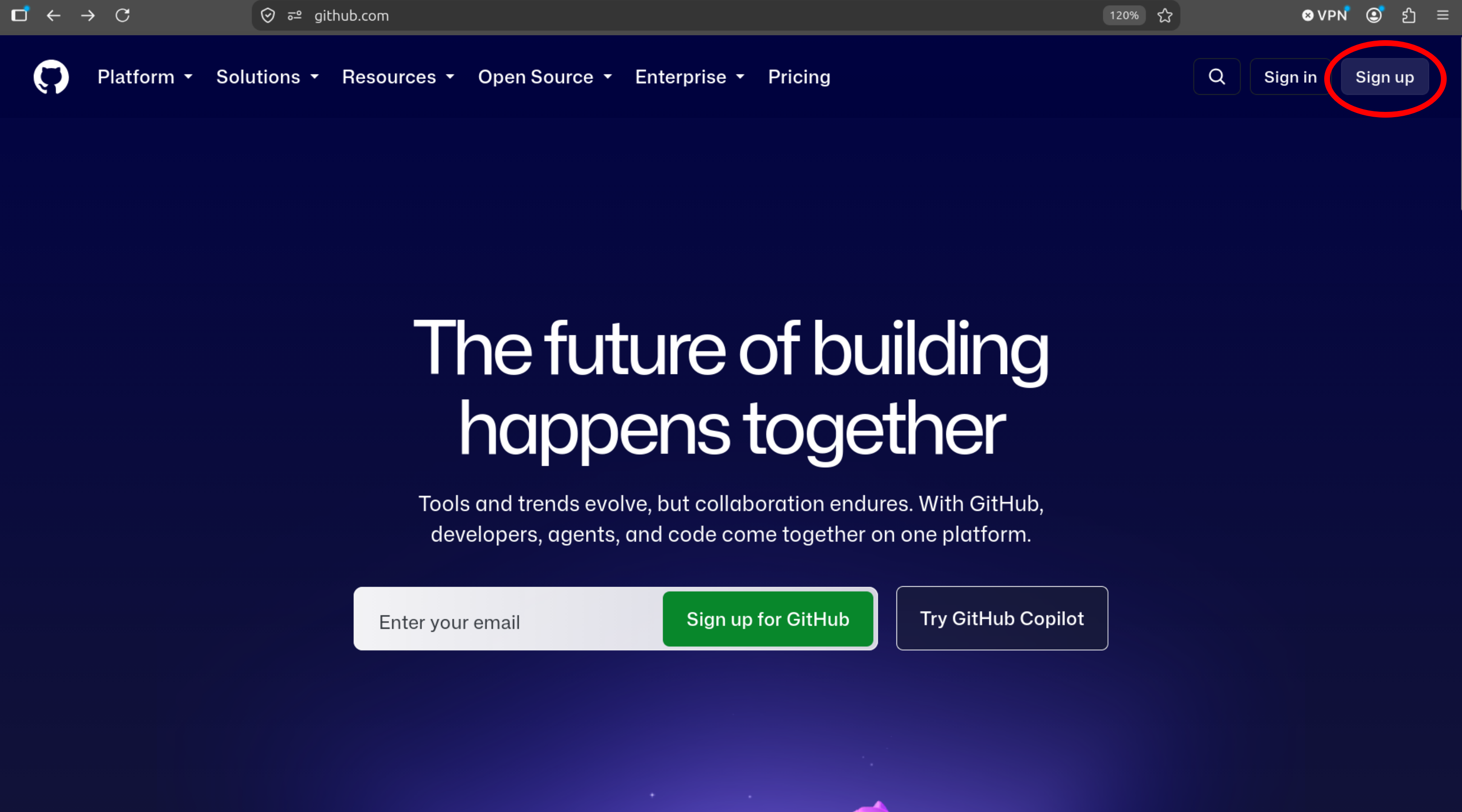
Please go to GitHub’s website and click “Sign up” in the upper right of the screen (Figure 1).
Create a username and enter your information. I recommend creating a username you will want to continue using for many years. Also, please feel free to use a personal email address for your GitHub account (i.e., you are not required to use your AU account).
Signing up for a free molab account
If you already have a molab account, you are welcome to use it for out class and can skip this section.
Please go to marimo’s molab website
Click the “Sign in” button near the top right of the screen, and in the “Create your account” window that pops up, click “GitHub” (Figure 2).
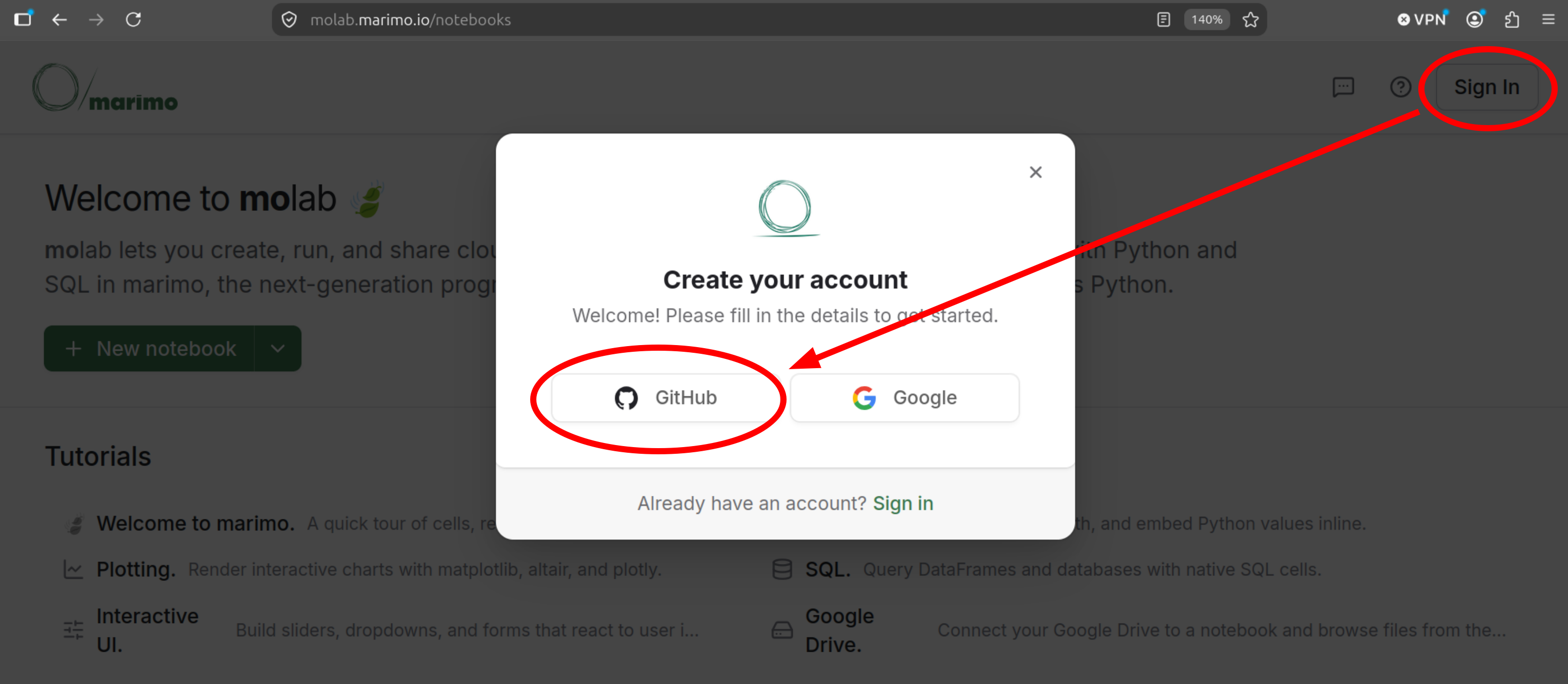
Figure 2: Create molab account. A “Sign in to GitHub to continue to marimo” window should pop open. Enter the username/email and password for your GitHub account and click “Sign in” (Figure 3).
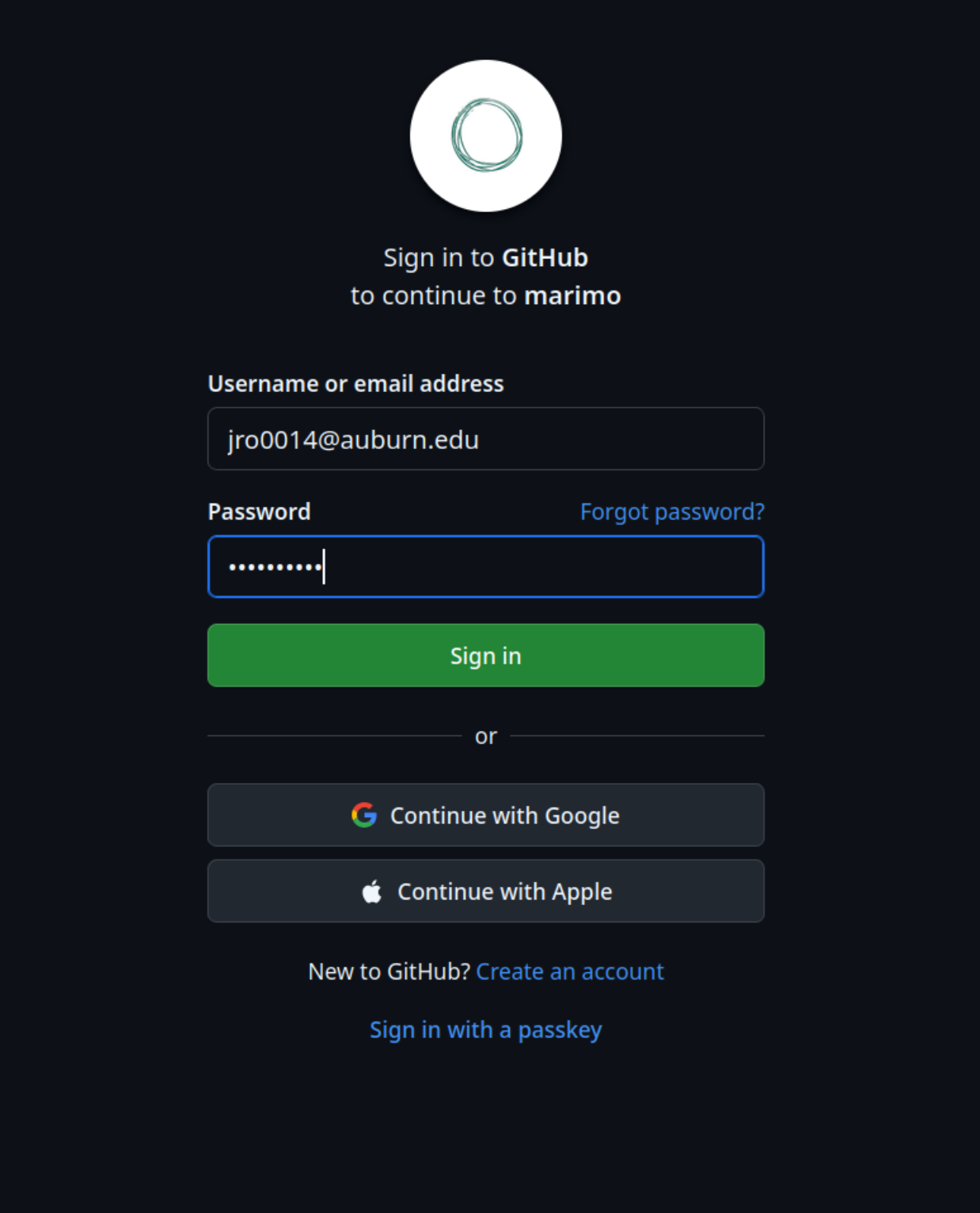
Figure 3: Sign in using your GitHub credentials. An “Authorize marimo” window should pop up. Click “Authorize marimo-team” (Figure 4).
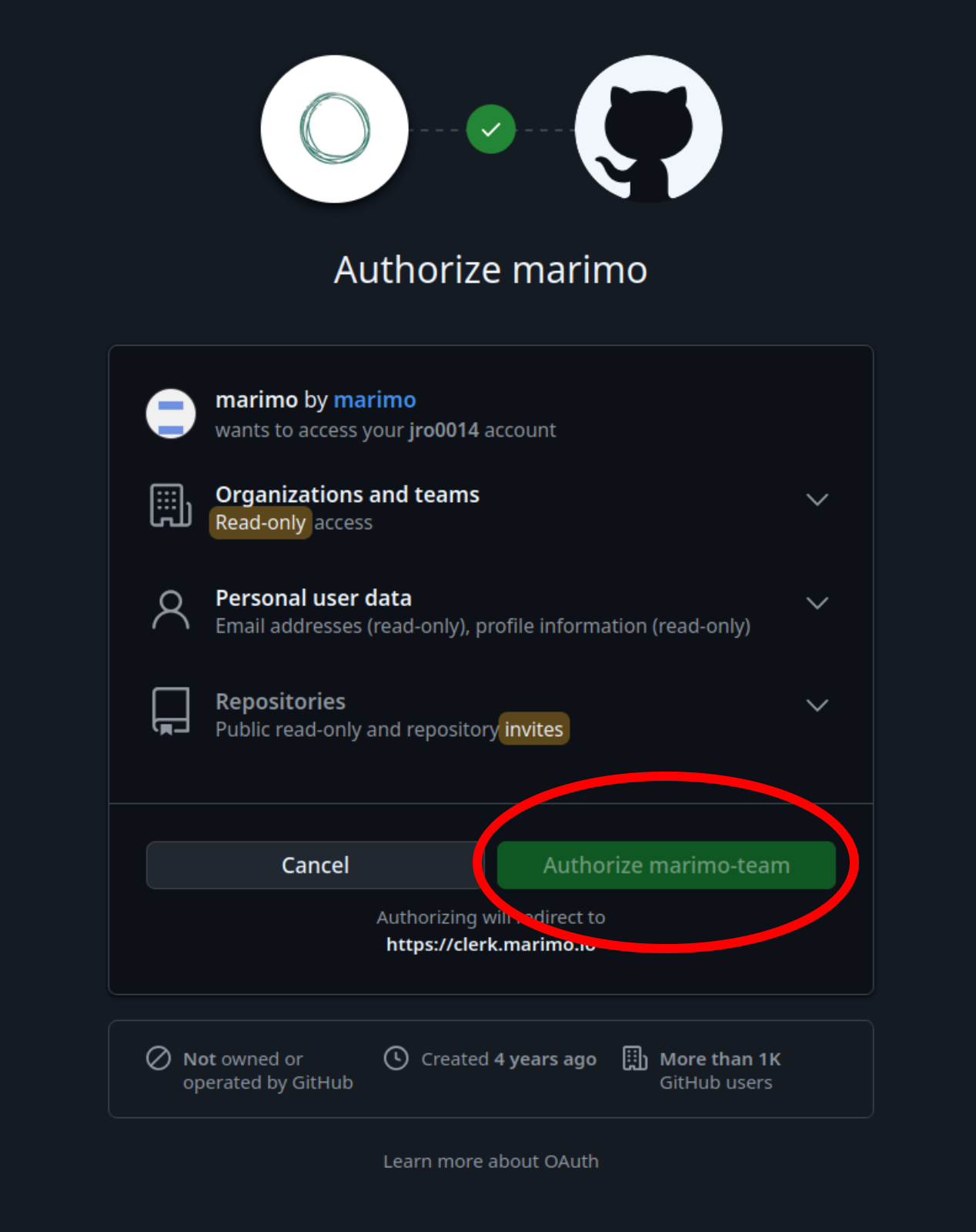
Figure 4: Authorize marimo to access info from GitHub. You should now be logged in to your new molab account (Figure 5)!
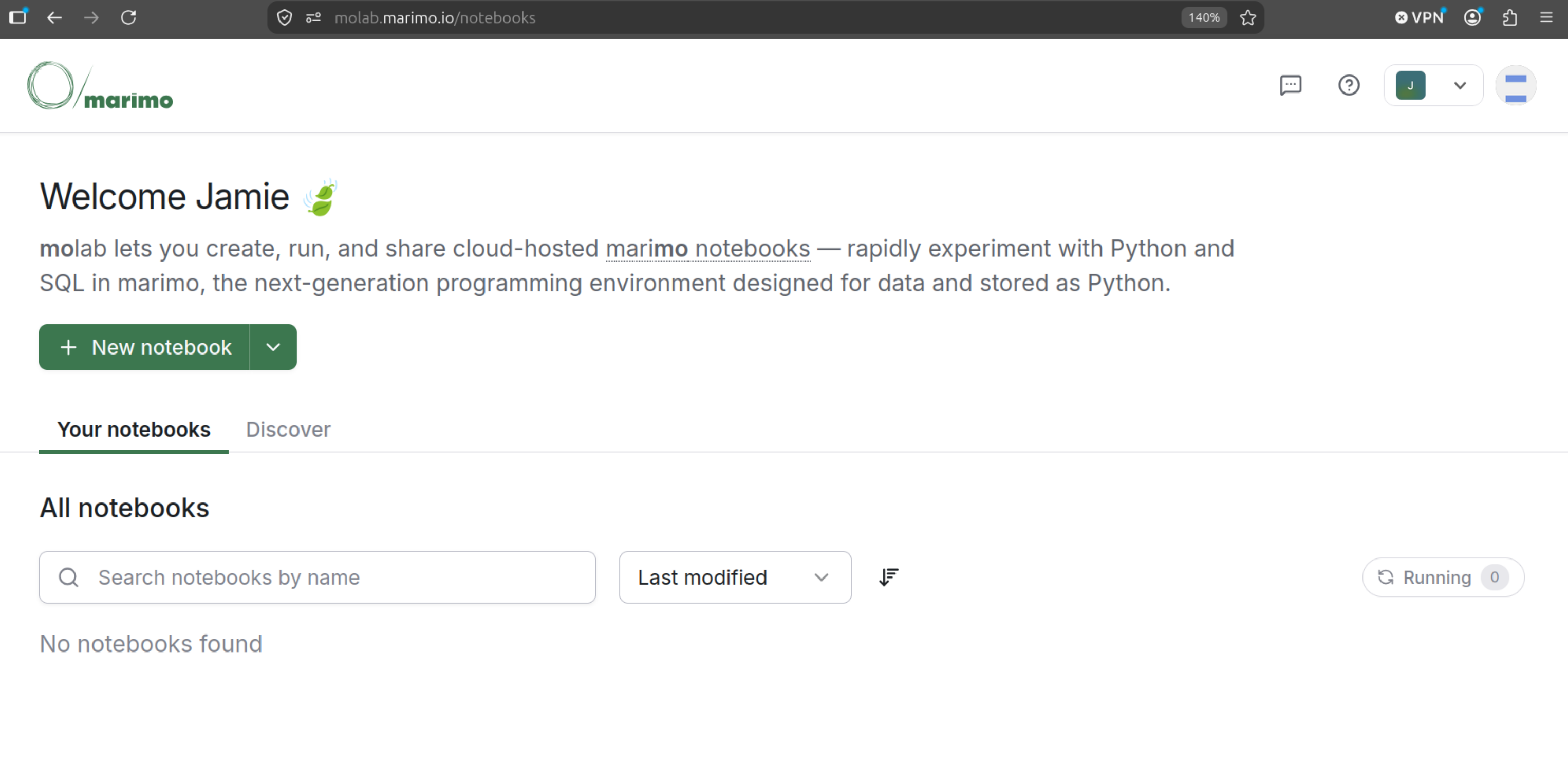
Figure 5: Succesfully logged in to molab.
molab account info
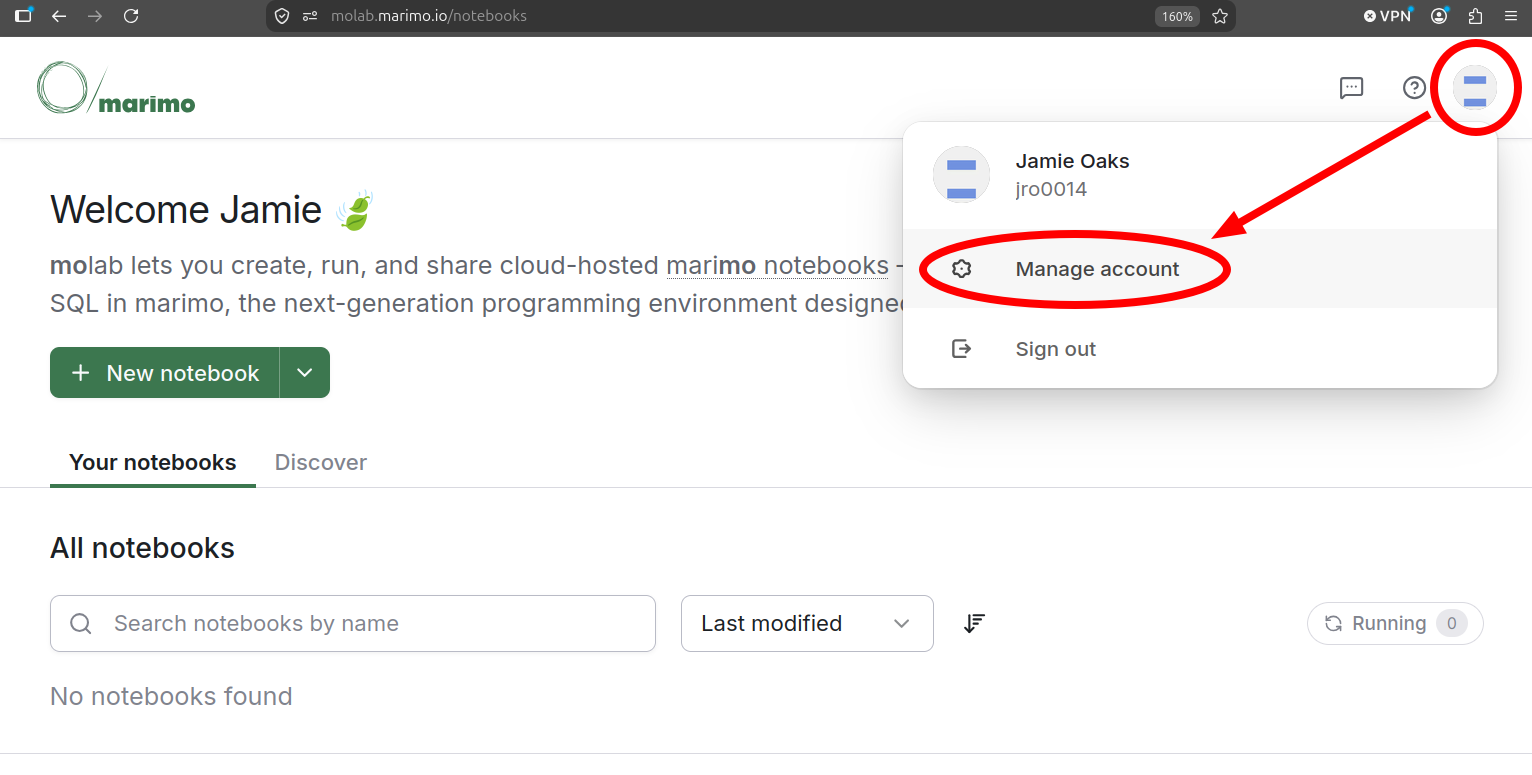
While logged in to your marimo molab account, click on the icon near the upper right corner of the browser window, and, from the drop-down, click “Manage account” (Figure 6). This should open a “Profile details” window.
Please open the Exercise 3 quiz on Canvas and use the information in your molab “Profile details” window to answer the questions below.
Question 1
What is the primary email address listed in your molab profile details?
Question 2
You should see your GitHub account listed for “Connected accounts.” Please enter your GitHub username that is displayed.